
Infrastructure as Code for Solana
Day 2 of launch week. Declarative deployments, seamless signer upgrades, and embedded indexing — Web3 infrastructure that doesn't feel like the nineties.
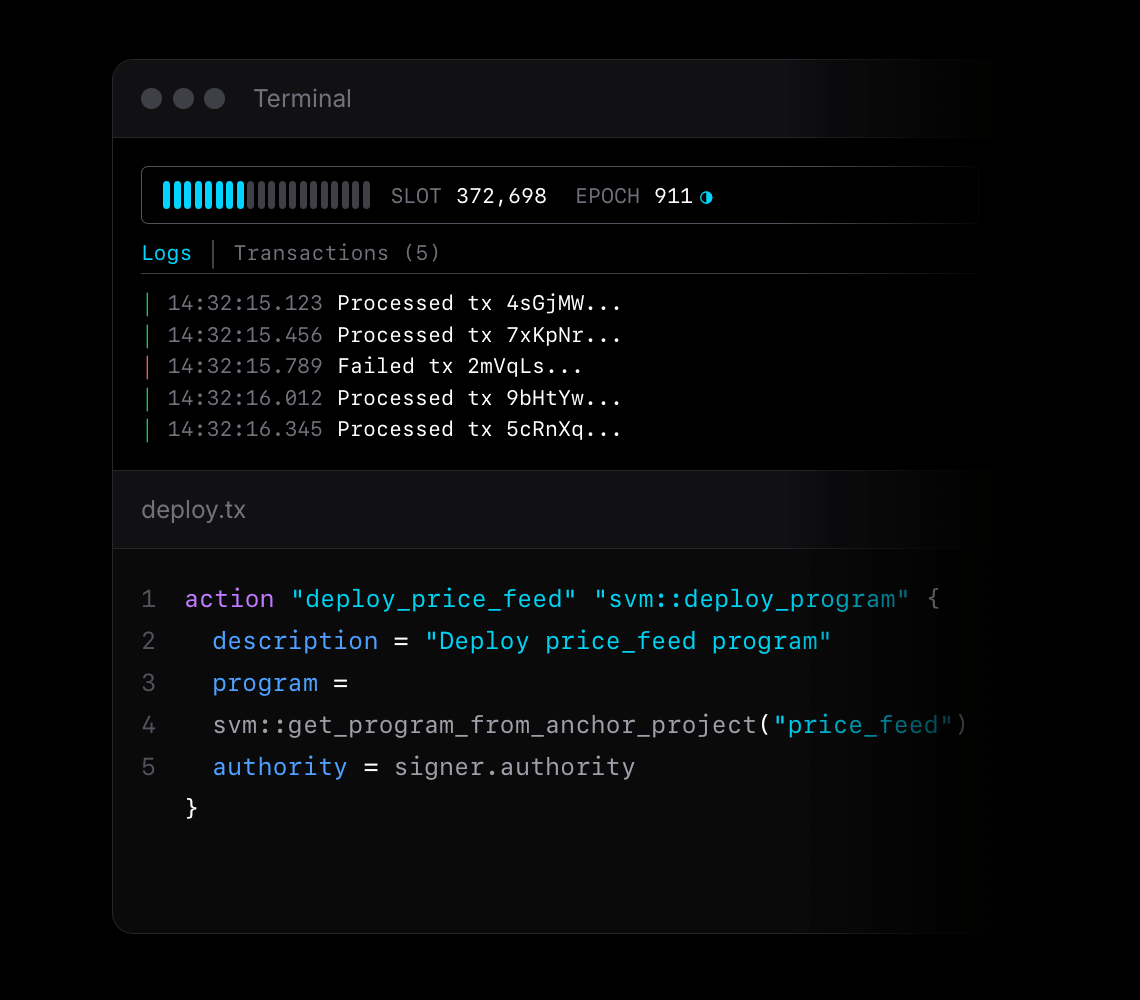
This is Day 2 of launch week. Today: Infrastructure as Code.
| Day | Feature |
|---|---|
| Day 1 | Mainnet Forking & Cheatcodes |
| Today | Infrastructure as Code |
| Day 3 | Studio |
| Day 4 | 🎁 |
The Problem
Deployments and operations in Web3 are stuck in the nineties.
Look at how most Solana projects deploy today: bash scripts that call solana program deploy. One-off JavaScript files with hardcoded keypaths. Manual transaction signing with private keys sitting in plaintext on developer machines. Copy-pasted deployment instructions in Discord channels.
This is the current standard for deploying protocols that manage hundreds of millions of dollars.
Now compare that to cloud infrastructure. Terraform. Pulumi. Declarative configs versioned in Git. Automated pipelines. Infrastructure that's auditable, reproducible, and reviewable. GitOps workflows where infrastructure changes go through the same PR process as code changes.
The gap between where cloud infrastructure is and where Web3 infrastructure is? It's staggering.
And we're paying for it. Billions of dollars lost every year to DevSecOps mistakes and compromised private keys. Not from smart contract bugs — from operational failures. Keys stored insecurely. Deployment scripts that nobody reviewed. Transactions signed without understanding what they do.
We have built a strong foundation to address this problem: Infrastructure as Code for Web3.
What We Mean by Infrastructure
We identified three categories of infrastructure that every Solana project needs to manage.
1. Onchain Infrastructure
All the transactions required to set up your protocol. This isn't just deploying programs — it's everything that happens after:
- Program deployments — uploading bytecode, setting authorities
- Initialization transactions — creating PDAs, setting config parameters
- Token operations — creating mints, setting up token accounts
- Permission setup — configuring access controls, admin keys
- Upgrades — deploying new versions, migrating state
Each of these is a transaction that needs to be signed, broadcasted, and confirmed. Each one can fail. Each one needs to be auditable.
2. Signing Infrastructure
Who signs what? With which key? Under what circumstances?
This is where most projects get into trouble. The progression usually looks like:
- Start with a keypair file on your laptop for local testing
- Use the same keypair for devnet — it works, why change it?
- Use the same keypair for mainnet — "just for the initial deploy"
- Six months later, that keypair controls $50M and lives in
~/.config/solana/id.json
The transition from development keypairs to production-grade signing — hardware wallets, multisigs, threshold schemes — shouldn't require rewriting your deployment scripts. It should be a configuration change.
3. Offchain Infrastructure
All the offchain components your protocol requires:
- Indexers — tracking account changes, building queryable state
- Scheduled jobs — crank operations, liquidations, rebalancing
- Watchdogs — monitoring for anomalies, alerting on suspicious activity
- Oracles — feeding external data onchain
These components need to be testable locally, able to run at scale on mainnet, and tightly coupled to your onchain deployments. When you upgrade your program, your indexer schema should update too.
Why HCL?
When we set out to build Infrastructure as Code for Web3, we had strong opinions about what the language should look like.
Why not JavaScript/TypeScript?
JavaScript is Turing-complete. You can do anything — including hiding malicious code in nested callbacks, dynamically constructing transactions at runtime, or obfuscating what a script actually does. When the stakes are millions of dollars, "you can do anything" is a liability, not a feature.
Why not YAML/JSON?
YAML and JSON are data formats, not languages. They lack variables, references, and composition. You end up templating them with another language, which brings you back to the Turing-complete problem.
Why HCL?
HCL — HashiCorp Configuration Language — hits a sweet spot:
- Declarative — you describe what you want, not how to get there
- Composable — blocks can reference other blocks
- Static analysis friendly — you can understand what code does without executing it
- Non-Turing-complete — no loops, no arbitrary code execution, no surprises
- Battle-tested — powers Terraform, which manages trillions of dollars of cloud infrastructure
We built on a subset of HCL specifically designed for Web3 deployments. We call these declarative programs Runbooks.
The Runbook Language
A runbook is a collection of blocks. Each block has a type, a name, and attributes.
Basic Structure
block_type "block_name" "block_subtype" {
    attribute = value
    another_attribute = "string value"

    nested_block {
        nested_attribute = 123
    }
}
The power comes from how blocks reference each other.
Core Block Types
Runbooks have five core block types:
1. addon — Network Configuration
Addons configure which blockchain network to target:
addon "svm" {
    rpc_api_url = input.rpc_api_url
    network_id = input.network_id
}
The svm addon supports Solana, Arcium, Magic Block and any SVM-compatible chain.
2. variable — Computed Values
Variables hold values that can be computed or edited at runtime:
variable "program" {
    description = "The program to deploy"
    value = svm::get_program_from_anchor_project("price_feed")
}

variable "price_feed" {
    description = "The Pyth price feed account"
    value = "7UVimffxr9ow1uXYxsr4LHAcV58mLzhmwaeKvJ1pjLiE"
    editable = true  // Can be changed at runtime
}
The editable = true flag is powerful — it lets you parameterize runbooks without changing the code.
3. signer — Signing Configuration
Signers define who signs transactions and how:
// Local development: keypair file
signer "authority" "svm::secret_key" {
    description = "Can upgrade programs and manage critical ops"
    keypair_json = "~/.config/solana/id.json"
}

// Production: web wallet
signer "authority" "svm::web_wallet" {
    description = "Can upgrade programs and manage critical ops"
    expected_address = "zbBjhHwuqyKMmz8ber5oUtJJ3ZV4B6ePmANfGyKzVGV"
}

// High security: Squads multisig
signer "authority" "svm::squads" {
    description = "Can upgrade programs via Squad multisig"
    address = input.multisig_address
    initiator = signer.payer
}
4. action — Operations
Actions are the core unit of work. Each action produces outputs that other actions can reference:
action "deploy_price_feed" "svm::deploy_program" {
    description = "Deploy price_feed program"
    program = svm::get_program_from_anchor_project("price_feed")
    authority = signer.authority
    payer = signer.payer
}
After execution, this action exposes action.deploy_price_feed.program_id, action.deploy_price_feed.signature, and other outputs.
5. output — Exported Values
Outputs expose values from runbook execution:
output "program_id" {
    description = "The deployed program ID"
    value = action.deploy_price_feed.program_id
}

output "signature" {
    description = "The deployment transaction signature"
    value = action.deploy_price_feed.signature
}
Composability Through References
The real power of runbooks is how blocks compose through references.
Reference Syntax
Any block can reference another block's attributes:
// Reference a signer
authority = signer.authority

// Reference an action's output
program_id = action.deploy_price_feed.program_id

// Reference a variable
program_idl = variable.program.idl

// Reference an input (provided at runtime)
rpc_api_url = input.rpc_api_url
Implicit Dependencies
References create implicit dependencies. Surfpool analyzes references to build a Directed Acyclic Graph (DAG) of operations:
action "deploy" "svm::deploy_program" {
    program = svm::get_program_from_anchor_project("price_feed")
    authority = signer.authority
}

action "initialize" "svm::process_instructions" {
    // This reference creates a dependency: initialize runs after deploy
    program_id = action.deploy.program_id
    signers = [signer.authority]
    instruction {
        program_idl = variable.program.idl
        instruction_name = "initialize"
    }
}
Surfpool automatically determines:
deployruns first (no dependencies)initializeruns afterdeploy(references its outputs)
Stateful Execution
Runbooks track execution state. This enables powerful behaviors:
Idempotency: Run the same runbook twice without changes → second run is a no-op.
Incremental updates: Change one action → only that action and its dependents re-execute.
Resumability: If a runbook fails midway, re-running picks up where it left off.
Directory Layout
When you start Surfpool in an Anchor or Pinocchio project, we scaffold a runbooks/ directory:
runbooks/
├── deployment/
│   ├── main.tx                  # Core deployment logic
│   ├── signers.localnet.tx      # Local keypair config
│   ├── signers.devnet.tx        # Web wallet for devnet
│   ├── signers.mainnet.tx       # Multisig for mainnet
├── operations/
│   ├── main.tx                  # Operational tasks
│   └── signers.localnet.tx
└── README.md
The separation is intentional:
main.tx— The deployment logic. Network-agnostic. This file should rarely change once working.signers.{network}.tx— Signer configuration per network. Swap keypairs for multisig without touchingmain.tx.
Example: main.tx
################################################################
# Manage price-feed deployment through Infrastructure as Code
################################################################

addon "svm" {
    rpc_api_url = input.rpc_api_url
    network_id = input.network_id
}

action "deploy_price_feed" "svm::deploy_program" {
    description = "Deploy price_feed program"
    program = svm::get_program_from_anchor_project("price_feed")
    authority = signer.authority
    payer = signer.payer
}
Example: signers.localnet.tx
signer "payer" "svm::secret_key" {
    description = "Pays fees for program deployments"
    keypair_json = "~/.config/solana/id.json"
}

signer "authority" "svm::secret_key" {
    description = "Can upgrade programs and manage critical ops"
    keypair_json = "~/.config/solana/id.json"
}
Example: signers.mainnet.tx
signer "payer" "svm::web_wallet" {
    description = "Pays fees for program deployments"
}

signer "authority" "svm::squads" {
    description = "Can upgrade programs via Squad multisig"
    address = input.multisig_address
    initiator = signer.payer
}
Same main.tx. Completely different security posture.
Available Actions
Surfpool provides several built-in actions for common operations:
svm::deploy_program
Deploy a Solana program:
action "deploy" "svm::deploy_program" {
    description = "Deploy the program"
    program = svm::get_program_from_anchor_project("my_program")
    authority = signer.authority
    payer = signer.payer
    auto_extend = true  // Auto-extend program account if needed
}
svm::process_instructions
Build and send a transaction with custom instructions:
action "call" "svm::process_instructions" {
    signers = [signer.caller]
    instruction {
        program_idl = variable.program.idl
        instruction_name = "fetch_price"
        sender {
            public_key = signer.caller.public_key
        }
        pyth_price_feed {
            public_key = variable.price_feed
        }
    }
}
svm::send_sol
Transfer SOL:
action "fund" "svm::send_sol" {
    amount = 1000000000  // 1 SOL in lamports
    recipient = input.recipient_address
    signer = signer.payer
}
svm::setup_surfnet
Configure your local Surfnet environment. These actions are a shortcut to automatically use some Surfnet Cheatcodes when executing your runbook.
action "setup" "svm::setup_surfnet" {
    // Stream fresh data for these accounts
    stream_account {
        public_key = "4cSM2e6rvbGQUFiJbqytoVMi5GgghSMr8LwVrT9VPSPo"
        include_owned_accounts = true
    }

    // Set account balance, data, owner, or rent epoch to any value
    set_account {
        public_key = signer.payer.public_key
        lamports = 10000000000  // 10 SOL
    }

    // Set token account balances for whatever mint you want
    set_token_account {
        public_key = signer.payer.public_key
        token = "USDC"
        amount = 1000000  // 1 USDC
    }
}
Signing Infrastructure
Security is in our DNA. The first check we received when we started Txtx came from a company that had lost millions to a compromised private key.
The Progression
Surfpool supports a natural progression of signer security:
| Stage | Signer Type | Use Case |
|---|---|---|
| Local dev | svm::secret_key | Fast iteration with local keypairs |
| Staging | svm::web_wallet | Interactive signing with Phantom, Backpack, etc. |
| Production | svm::squads | Multi-party signing with full audit trail |
Signer Types in Detail
svm::secret_key — Sign synchronously with a keypair file or mnemonic:
signer "deployer" "svm::secret_key" {
    // Option 1: Keypair file
    keypair_json = "~/.config/solana/id.json"

    // Option 2: Mnemonic
    mnemonic = input.mnemonic
    derivation_path = "m/44'/501'/0'/0'"
}
svm::web_wallet — Interactive browser-based signing:
signer "deployer" "svm::web_wallet" {
    // Optionally restrict to a specific address
    expected_address = "zbBjhHwuqyKMmz8ber5oUtJJ3ZV4B6ePmANfGyKzVGV"
}
svm::squads — Multisig signing via Squads Protocol:
signer "deployer" "svm::squads" {
    address = input.multisig_address
    initiator = signer.payer  // Who creates the proposal
}
Two Execution Modes
Runbooks support two execution modes:
Unsupervised mode — runs like any CLI script:
$surfpool run deployment --unsupervised
Supervised mode — launches a web UI that walks you through each step:
$surfpool run deployment
The supervised interface:
- Shows each action before execution
- Displays transaction previews
- Requests explicit confirmation for signing
- Verifies sufficient funds
- Creates a full audit trail
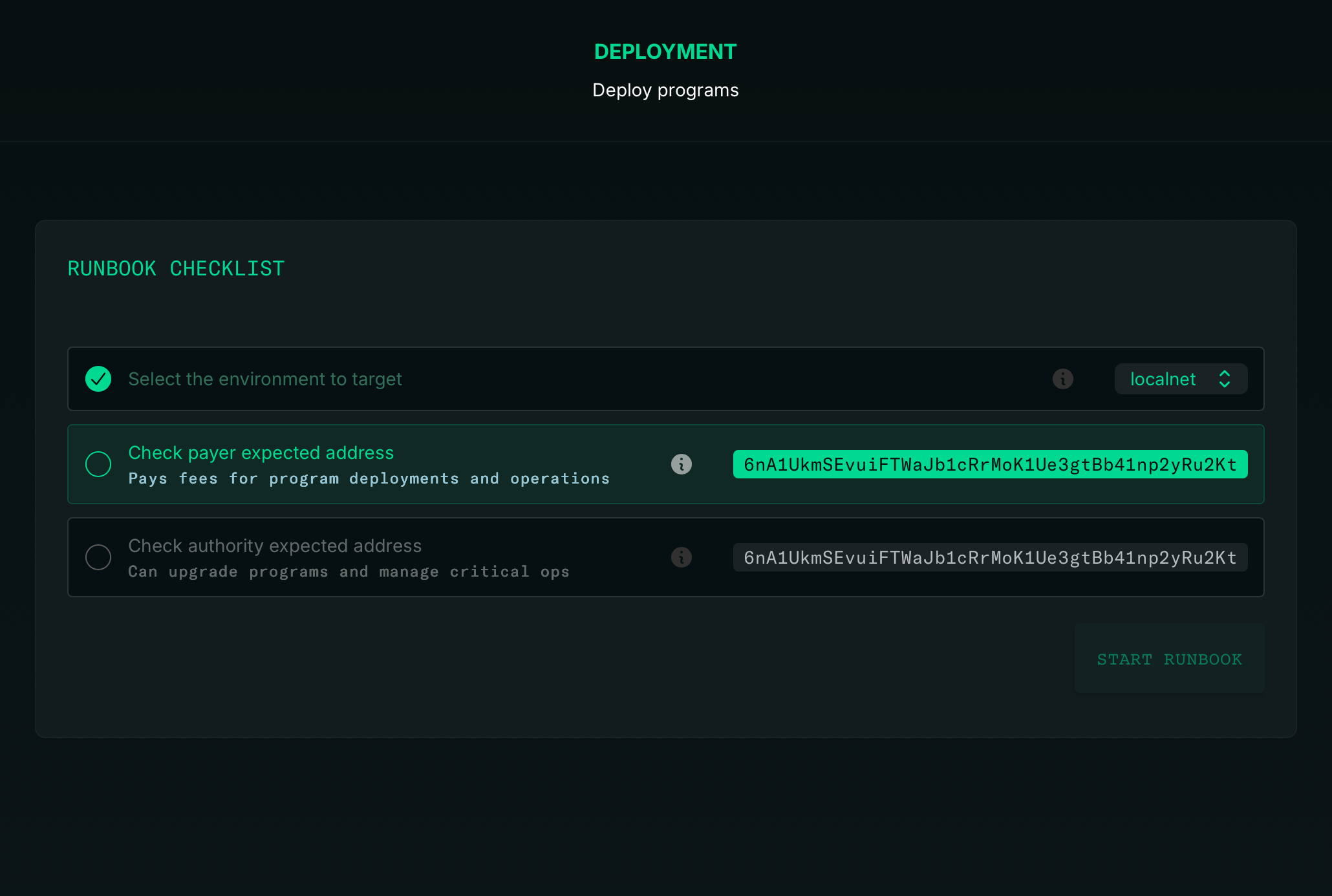
The runbook code stays exactly the same. Only the execution mode changes.
Supervised mode is the perfect guardrail when introducing secure signers. You see exactly what you're signing before you sign it.
From Local to Mainnet
Surfpool starts as a drop-in replacement for solana-test-validator. But within a project, it becomes a force multiplier for both velocity and safety.
Local development:
- Ephemeral keypairs in
signers.localnet.tx --watchmode for instant feedback (automatically redeploying your program on code changes)- Embedded indexing for GraphQL queries
Devnet/Testnet:
- Same
main.tx, different signers - Web wallet signing in supervised mode
- Full transaction previews
Mainnet:
- Same
main.tx, multisig signers - Supervised execution with audit trail
- Squads integration for multi-party approval
The infrastructure grows with you. No rewrites. No migration scripts. Just configuration.
Get Started
# Install$curl -sL https://run.surfpool.run | bash# Start in your Anchor/Pinocchio project$surfpool start
Surfpool detects your project structure and scaffolds Infrastructure as Code automatically. Review the generated runbooks, customize for your needs, deploy.
That's Day 2. Tomorrow: Studio — the dashboard that makes all of this visible.
Learn More
- IaC Documentation — Full runbook reference
- SVM Actions — Available actions and parameters
- Signers Guide — Signer configuration options
- GitHub — Star the repo ⭐
- Discord — Join the community
- X / Twitter — Follow for updates